To make a budget, work out your monthly take-home pay, list every bill and expense, subtract the expenses from your income, give any money left over a specific purpose, then track your spending for a month and adjust. With recent pay stubs and statements in front of you, a first plan takes about an hour.
This guide walks through each step with one invented household on $4,200 a month: its first plan, what actually happened in month one and how it changed the numbers for month two. Examples use US dollars and invented figures. To fill in your own numbers as you read, open the monthly budget template in another tab: its spreadsheet download keeps the totals adding up as you edit.
The short version: a checklist to follow
- Write down your monthly take-home pay (a lower month if it varies).
- List fixed costs from your bills.
- Add variable costs from your last one to three months of statements.
- Add a monthly share for each irregular or annual cost.
- Subtract the total from income.
- Assign any positive amount to a goal, or close any gap starting with optional spending.
- Track spending daily for one month.
- Compare plan and reality, then set next month’s numbers.
Before you start, gather three things
- Proof of income: your last two or three pay stubs, or deposit records if your income comes from several places.
- Recent statements: one to three months of bank and card statements, which show what you actually spend rather than what you think you spend.
- Your bills: rent or home payment, utilities, phone, insurance and anything you pay once or twice a year, such as a car registration or an annual membership.
The Federal Trade Commission’s consumer.gov guide to making a budget uses the same starting point: your bills, your pay stubs and a plain comparison between the two.
Step 1: Work out your monthly take-home pay
Use the amount that actually reaches your account after tax and other deductions, not your salary. Add any other regular money you receive, such as child support or a second job.
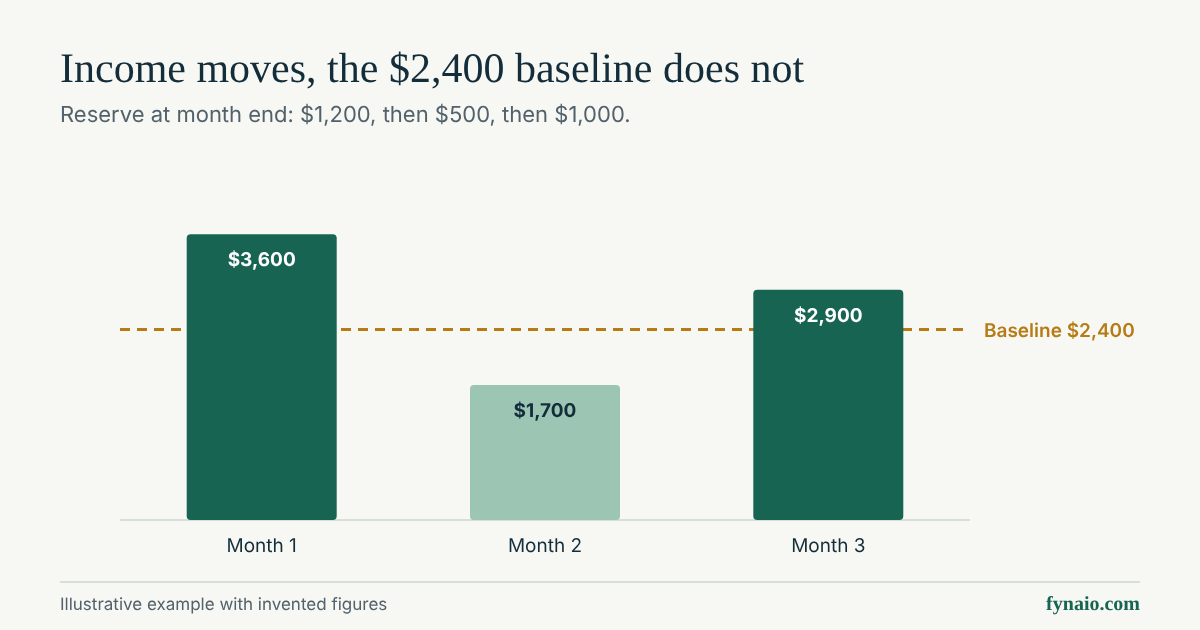
If your pay changes from month to month, consumer.gov suggests adding up last year’s income and dividing by 12 to estimate a monthly figure. Because an average hides the lean months, many people budget from a lower month instead and treat anything above it as extra.
If you are paid weekly or every two weeks, multiply one take-home paycheck by 52 or 26 and divide by 12 for a monthly average. A $1,500 paycheck every two weeks averages $3,250 a month. Most months bring only two of those paychecks ($3,000), though, so plan fixed bills around two paychecks and give the two extra paychecks a year a job when they arrive. The 50/30/20 calculator shows both figures when you choose your pay schedule. A salary converter works on gross pay, so use it only to compare offers, not to set budget income.
Step 2: List every expense
Go through your statements line by line and sort each cost into one of three groups. For a full checklist of what to include, see this list of budget categories and monthly expenses.
- Fixed costs stay about the same each month: rent, insurance, phone, internet and subscriptions.
- Variable costs change: groceries, fuel, utilities, dining out and household supplies.
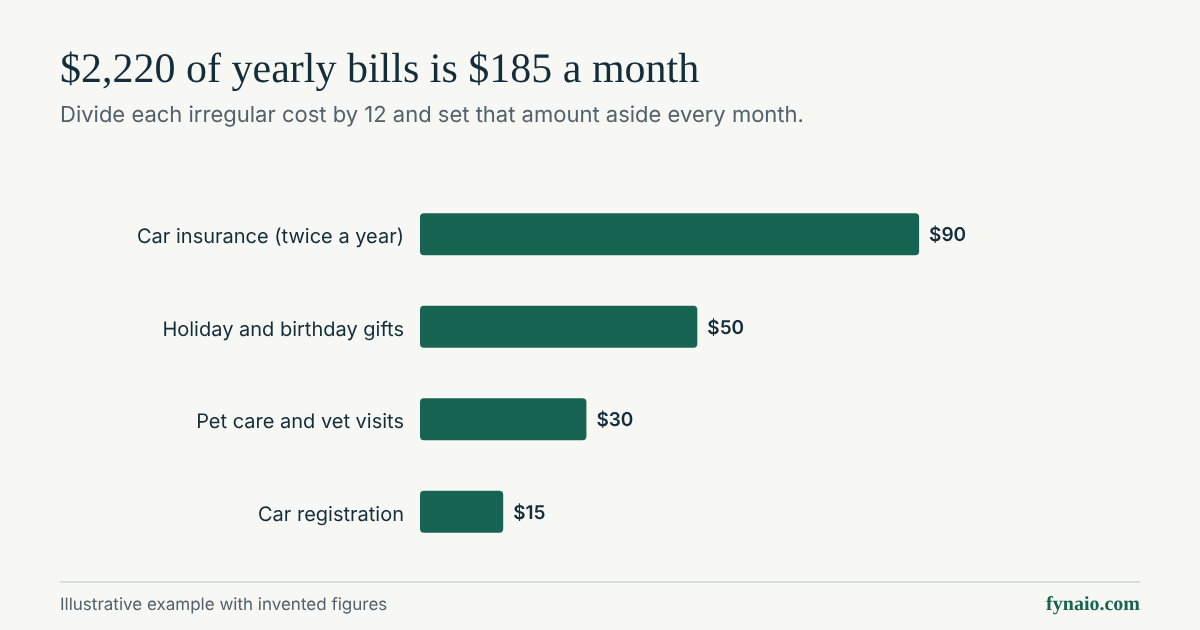
- Irregular costs arrive once or a few times a year. Divide each by the number of months until it is due and include that monthly share. A $360 annual bill due in 12 months becomes $30 a month.
Use real numbers from your statements for variable costs. Small, frequent purchases are easy to forget when you estimate from memory, so check food, coffee, delivery and household items against what your statements actually show.
Step 3: Subtract expenses from income
Take your monthly income and subtract the total of everything you listed. Consumer.gov puts it simply: the number should be more than zero, and if it is less than zero you are spending more than you make, so you need to look for things in the budget you can change.
- A positive number is money that still needs a purpose. Leaving it unassigned is how it tends to disappear.
- A negative number is a gap. Start with optional spending, then look at fixed costs you can renegotiate or cancel, and at ways to raise income. Do not cut necessities just to make the numbers look balanced.
Example: when the numbers come up short
A second invented household takes home $3,200 a month, and its first list of expenses comes to $3,410: a gap of $210. It works through the order above and leaves rent, utilities, groceries, transport and insurance alone.
| Category | First plan | Revised plan |
|---|---|---|
| Dining out | $160 | $90 |
| Entertainment | $60 | $30 |
| Subscriptions | $45 | $20 |
| Phone | $95 | $70 |
| Savings goal | $120 | $60 |
| All other lines | $2,930 | $2,930 |
| Total planned | $3,410 | $3,200 |
Optional spending closes $125 of the gap: dining out falls by $70, entertainment by $30, and cancelling two of three subscriptions saves $25. A cheaper phone plan that still covers what the household uses saves another $25. The last $60 comes from slowing the savings goal for now rather than from groceries or bills, and the emergency fund line stays as it was. The revised plan totals exactly $3,200.
If cuts like these cannot close a gap, the remaining choices are raising income or lowering a large fixed cost such as housing. Both take longer, so keep essentials paid while you work on them.
Step 4: Give every dollar a purpose
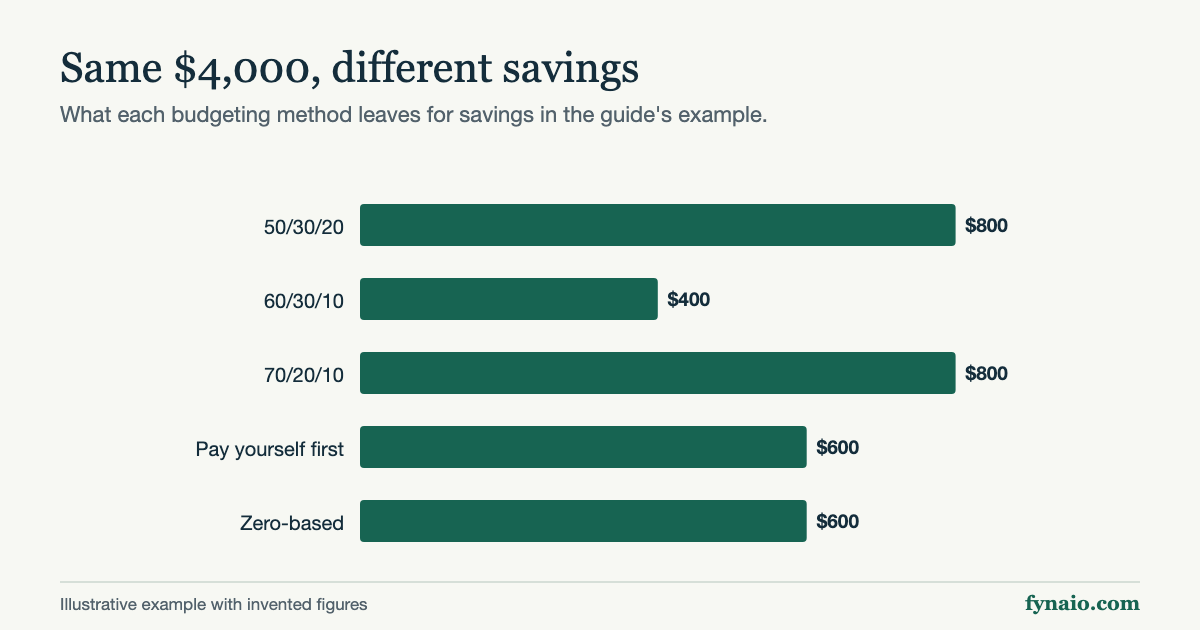
Once income covers expenses, decide where the rest goes: an emergency fund, a savings goal, a set-aside for an upcoming bill or a cushion for next month. A budgeting method can help you decide; this comparison of budgeting methods runs six of them on one income. The three most common are:
- 50/30/20 splits take-home pay into needs, wants and goals. The 50/30/20 budget planner does the math and lets you change the split.
- Zero-based budgeting assigns every dollar until nothing is left unassigned. The zero-based budgeting guide shows it step by step.
- Envelope budgeting gives each category a fixed amount of cash or a separate account and stops spending when it runs out. The envelope budgeting guide covers cash and digital setups.
No method is required. The best one is the one you will keep using.
Example: a first budget on $4,200 a month
This invented household takes home $4,200 a month. After working through its statements, it builds this plan:
| Category | Monthly amount |
|---|---|
| Rent | $1,450 |
| Utilities | $210 |
| Groceries | $520 |
| Transport | $380 |
| Insurance | $260 |
| Phone and internet | $120 |
| Dining out | $180 |
| Subscriptions | $45 |
| Personal and household | $90 |
| Emergency fund | $300 |
| Savings goal | $400 |
| Annual bills set-aside | $150 |
| Total planned | $4,105 |
Subtracting $4,105 from $4,200 leaves $95. Rather than leave it unassigned, the household adds it to the emergency fund, which brings that line to $395 and the plan to exactly $4,200.
For context, the Bureau of Labor Statistics reports that housing made up 33.4 percent of average US household spending in 2024, with transportation at 17.0 percent and food at 12.9 percent. Those are national averages of spending, not targets. Your own split depends on where you live and what you need.
Step 5: Track for a month, then adjust
Consumer.gov describes a budget as something you use every month: make a plan at the start, write down what you spend each day, and at the end of the month check whether you spent what you planned. Use what you learn to set next month’s numbers.
Expect the first month to be off. Adjusting the lines that missed is the system working, not failing.
Example: what changed after the first month
Here is the same invented household after tracking every purchase for a month. Only the lines that differed from the plan are shown; every other line matched.
| Category | Planned | Actual | Difference |
|---|---|---|---|
| Groceries | $520 | $585 | $65 over |
| Utilities | $210 | $228 | $18 over |
| Dining out | $180 | $150 | $30 under |
| Transport | $380 | $360 | $20 under |
| Net change | $1,290 | $1,323 | $33 over |
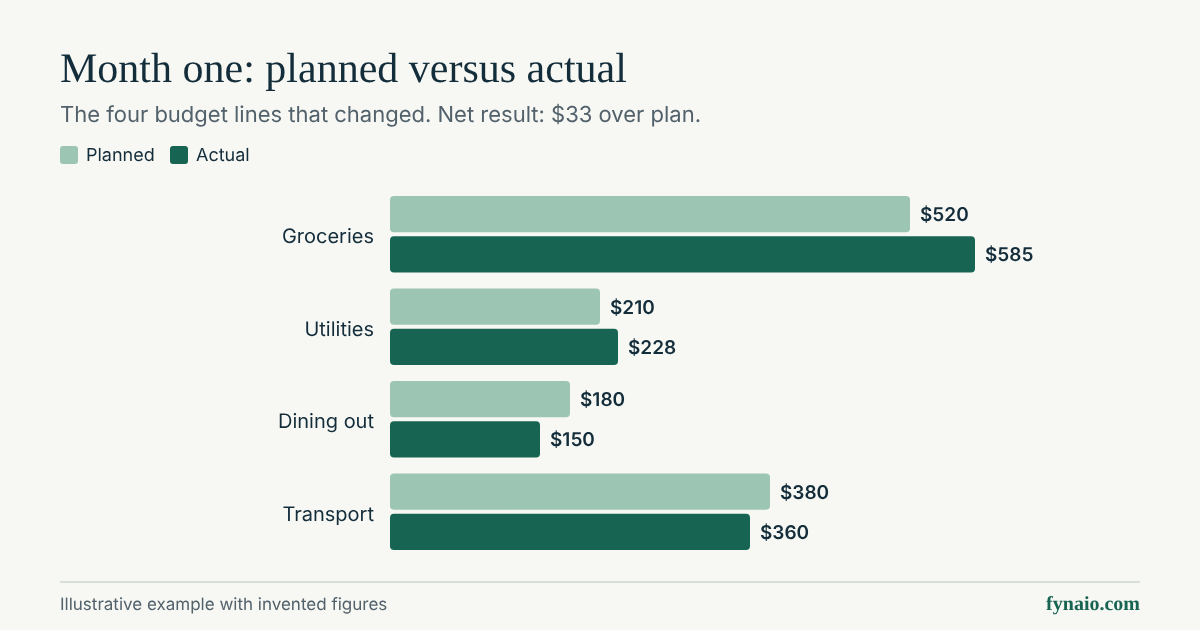
Spending came in $33 over plan. Because every dollar already had a job, the money had to come from somewhere, so the household moved $362 into the emergency fund that month instead of $395. It did not treat the miss as a failure; it used it to set month two:
- Groceries rise to $570, closer to what the receipts showed, but not all the way to $585.
- Dining out drops to $150, which is what the household actually spent.
- Utilities rise to $220 and transport falls to $360.
- Personal and household drops from $90 to $80 to balance the changes.
The changes add $50, $10 and subtract $30, $20 and $10, so they cancel out and the month-two plan still totals exactly $4,200, with the emergency fund back at $395. One month is a small sample: utilities and groceries vary with the season, so check these lines again after month two before treating them as settled.
How to write a budget on paper or in a spreadsheet
A written budget needs only four columns: the line, what you plan, what you actually spend and the difference. Lay out the page from top to bottom in the same order as the steps:
- Income at the top. One line per source of take-home pay, then a total.
- Fixed costs. Rent, insurance, phone and other bills with known amounts.
- Variable costs. Groceries, fuel, utilities, dining out and household items, using amounts from your statements.
- Irregular costs. The monthly share of each annual or occasional bill.
- Goals. Emergency fund, savings goals and extra debt payments.
- The bottom line. Total planned, then income minus total planned. Aim for zero: every dollar has a line.
Leave the Actual and Difference columns empty when you write the plan. Fill them in at the end of the month, as in the example above, and use the Difference column to set next month’s numbers. On paper, a pencil makes the second month easier. In a spreadsheet, the monthly budget template download already has this order and working totals.
Mistakes that make a first budget fail
- Using pay before deductions. Budgeting from salary rather than take-home pay builds in a shortfall from day one.
- Forgetting irregular bills. An annual renewal or a car repair then lands as a surprise. Set aside a monthly share for each one, and cancel renewals you no longer need.
- Cutting all fun spending. A plan with no room for small pleasures rarely lasts. Keep a modest amount for things you enjoy.
- Planning once and never checking. A budget that is not compared with real spending becomes a wish list.
- Counting the same money twice. Money already set aside for a goal is not available for this month’s spending.
Common questions about making a budget
What are the first and last steps in setting up a budget?
The first step is working out your monthly take-home pay, the money that actually reaches your account after tax and deductions; every other number depends on it. The last step is tracking a month of real spending, comparing it with the plan and adjusting next month’s numbers. A budget is finished only when it has been checked against what you actually spent.
What is a budget plan?
A budget plan is a written list of your monthly income and where each part of it will go: bills, everyday spending, savings and debt payments. It turns “I should spend less” into specific amounts you can check.
How do I budget my salary?
Start from your take-home pay, not the salary in your contract. If you are paid weekly or every two weeks, work out the monthly average as in Step 1, but plan fixed bills around the paychecks you receive in a normal month. If you only know your gross salary, the salary to hourly calculator converts it between pay periods; your paycheck after tax and deductions will be lower.
What is the best way to create a budget?
The best way is the one you will still be using in three months. Every method starts with the same five steps above; they differ in how much of the leftover money you plan line by line. The budgeting methods comparison puts six of them side by side on one example and gives four questions for choosing.
Templates for your first budget
The free monthly budget template follows these steps on screen and lets you download your plan as a spreadsheet with working totals. To record what you actually spend in Step 5, the expense tracker totals your purchases by category, and you can reopen its download to keep adding through the month. The CFPB’s budget worksheet is a printable alternative.